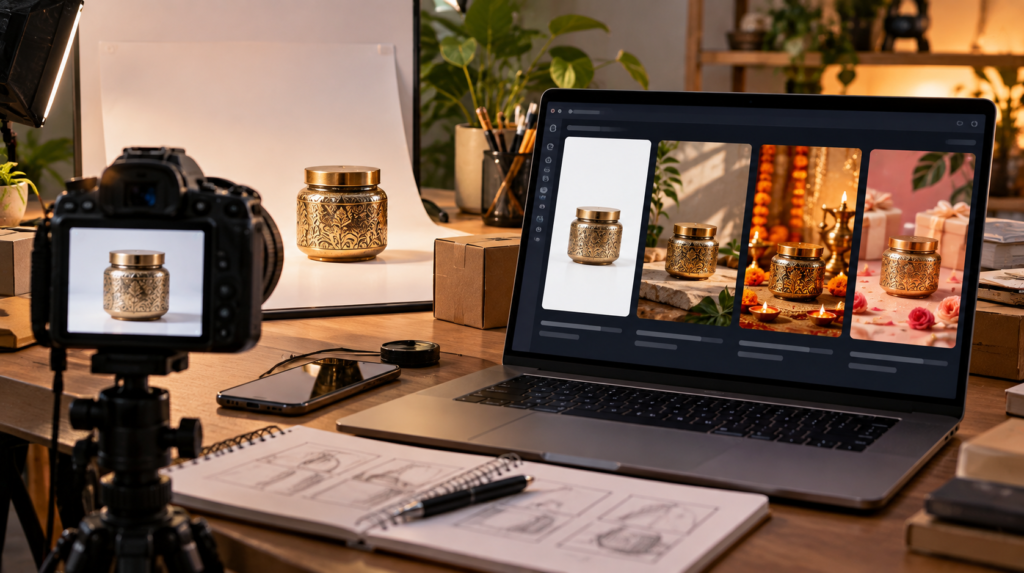
AI image generation becomes much more useful when you stop thinking only in terms of “make this product look better” and start giving it a clear visual direction.
The following prompt codes can be used as shorthand when creating different types of ecommerce visuals.
They aren’t official ChatGPT commands. They are simply reusable prompt labels that describe the kind of image you want to create.
You can combine several of them depending on the product.
For example:
/premiumshowcase /soft-light /TOPDOWN
or:
/FASHIONCAMPAIGN /studiomodel /outfitstyling /windowdisplay
The important part is to tell the image model what should change while clearly instructing it to preserve the actual product.
Product Presentation Codes
/premiumshowcase
Creates a polished, high-end commercial product presentation.
Useful for:
- Jewellery
- Watches
- Beauty products
- Electronics
- Premium accessories
- Luxury products
Example:
/premiumshowcase /soft-light /ADCREATIVE
/ADCREATIVE
Designed for advertising-style product images.
Use this when you want a stronger visual designed for:
- Meta Ads
- Google Ads
- Social media
- Website banners
- Promotional campaigns
Add negative space if you plan to place your own headline or offer later.
/MANNEQUINPREMIUMSHOWCASE
Useful for fashion products when you want clothing displayed on a premium mannequin rather than a real person.
Good for:
- Dresses
- Sarees
- Shirts
- Jackets
- Ethnic wear
- Co-ord sets
Example:
/MANNEQUINPREMIUMSHOWCASE /soft-light /storeinterior
/realisticproducthumanshowcase
Places the product into a realistic human-use scenario.
This can be useful when customers need to understand how an item looks when worn or used.
For fashion:
/realisticproducthumanshowcase /outfitstyling /fashioneditorial
Always check that the AI hasn’t changed the garment’s design.
Fashion Ecommerce Codes
Fashion is one of the areas where AI image generation can create a large number of variations from a single product photograph.
/studiomodel
Creates a professional studio-model presentation.
Useful for:
- Apparel
- Dresses
- Shirts
- Trousers
- Ethnic wear
- Fashion accessories
Example:
/studiomodel /outfitstyling /soft-light
/outfitstyling
Adds styling around the main clothing item.
It can help create a complete outfit rather than showing one isolated garment.
For example:
/outfitstyling /studiomodel /fashioneditorial
Be specific about which product must remain unchanged.
/mannequinstore
Creates a retail-store presentation with the clothing displayed on a mannequin.
Useful when you want the image to feel like an actual fashion store rather than a studio.
Example:
/mannequinstore /storeinterior /windowdisplay
/flatlay
Creates an overhead arrangement of products and accessories.
Excellent for:
- Fashion
- Jewellery
- Accessories
- Clothing
- Shoes
- Beauty products
- Gift sets
Example:
/flatlay /TOPDOWN /premiumshowcase
/fashioneditorial
Creates a magazine-style fashion photograph.
Useful for premium campaigns and brand storytelling.
Example:
/fashioneditorial /studiomodel /outfitstyling
/FASHIONCAMPAIGN
Designed for a polished campaign visual rather than a basic catalogue image.
Useful for:
- New collections
- Seasonal campaigns
- Homepage banners
- Social campaigns
- Paid advertising
/lookbook
Creates a lookbook-style presentation showing how products can be worn or styled.
This is particularly useful for fashion brands launching a collection.
Example:
/lookbook /seasoncollection /outfitstyling
/seasoncollection
Useful for presenting products around a specific season or collection.
Examples:
- Summer collection
- Winter collection
- Festive collection
- Wedding collection
- Monsoon collection
Example:
/seasoncollection /fashioneditorial /outfitstyling
/magazinecover
Creates a fashion-magazine-inspired composition.
This can be useful for promotional graphics, campaign concepts and social media.
If adding text later, ask for clean negative space rather than allowing the image model to generate the typography.
/fashionposter
Creates a poster-style fashion composition.
Useful for:
- New collection launches
- Store promotions
- Fashion campaigns
- Social media creatives
Example:
/fashionposter /FASHIONCAMPAIGN /seasoncollection
/windowdisplay
Creates a fashion retail window-display scene.
Useful for showing garments in a realistic store environment.
Example:
/windowdisplay /mannequinstore /seasoncollection
/storeinterior
Places the product inside a realistic retail environment.
Good for:
- Clothing
- Footwear
- Jewellery
- Furniture
- Home products
Example:
/storeinterior /mannequinstore /premiumshowcase
Fabric and Clothing Detail Codes
These are particularly useful for fashion ecommerce because customers often want to see material and finishing details.
/FABRICMACRO
Creates a close-up view of fabric texture.
Useful for:
- Cotton
- Silk
- Linen
- Denim
- Wool
- Embroidery
- Knitted fabrics
Example:
/FABRICMACRO /soft-light
/fabricdetail
Similar to fabric macro, but useful when you want to highlight a specific clothing detail such as:
- Embroidery
- Stitching
- Weaving
- Buttons
- Lace
- Prints
- Borders
/wrinkleremove
Useful for creating a cleaner apparel presentation by reducing visible wrinkles.
However, be careful.
The AI should remove unwanted creasing without changing the actual construction, stitching, shape or material of the garment.
/colorway
Useful when presenting different colour variations of the same product.
For example:
/colorway
followed by:
Create the same garment in navy blue, beige and burgundy while preserving the exact design, stitching, pattern and material.
This is especially useful for ecommerce catalogues.
Always verify that the generated colour accurately represents the actual product.
Camera and Perspective Codes
These codes can completely change how a product is presented.
/TOPDOWN
Creates a direct overhead view.
Great for:
- Flat lays
- Food
- Clothing
- Jewellery
- Product bundles
- Stationery
- Accessories
Example:
/TOPDOWN /flatlay /soft-light
/DRONEVIEW
Creates a high elevated perspective.
This is more useful for:
- Large products
- Outdoor products
- Property
- Furniture arrangements
- Events
- Travel products
It may not make sense for small ecommerce products unless you’re deliberately creating a conceptual advertising image.
/360VIEW
Creates a presentation intended to communicate multiple angles of the product.
For example, you can ask for:
- Front
- Back
- Side
- Three-quarter
- Detail
This can be particularly useful for product presentation concepts.
For actual ecommerce product galleries, however, separate real photographs are still preferable when exact accuracy matters.
/XRAY
Creates an X-ray or semi-transparent technical presentation.
This is useful for products where the internal structure is important.
Examples:
- Electronics
- Appliances
- Shoes
- Machinery
- Technical products
Do not use this as a substitute for actual technical documentation.
/EXPLODEDVIEW
Creates an exploded product presentation where components appear separated while maintaining their relative position.
Useful for:
- Electronics
- Furniture
- Mechanical products
- Appliances
- Technical equipment
This can be particularly effective for explaining how a product is assembled.
/ANATOMY
Creates a labelled or visual breakdown of a product’s components or structure.
For example, a running shoe could be shown with:
- Upper
- Midsole
- Outsole
- Insole
- Cushioning layer
For technical products, always verify every component because AI-generated diagrams can invent or mislabel details.
Creative Product Effects
/productexplosion
Creates a dynamic visual where the product appears to break apart into its components or surrounding elements.
This works particularly well for advertising concepts.
Example:
/productexplosion /ADCREATIVE /premiumshowcase
Use it for marketing visuals rather than technical documentation.
/soft-light
Creates soft, controlled lighting with gentle shadows.
This is one of the most versatile codes on the list.
It works well with:
- Product photography
- Fashion
- Jewellery
- Beauty
- Food
- Lifestyle products
Combining the Codes
The real advantage comes from combining several codes.
Premium Fashion Campaign
/FASHIONCAMPAIGN /studiomodel /outfitstyling /soft-light
Fashion Store
/mannequinstore /storeinterior /seasoncollection
Clothing Flat Lay
/flatlay /TOPDOWN /fabricdetail /soft-light
Luxury Product Advertisement
/premiumshowcase /ADCREATIVE /soft-light
Jewellery Detail
/premiumshowcase /FABRICMACRO /soft-light
Technical Product
/EXPLODEDVIEW /ANATOMY /premiumshowcase
Dynamic Product Advertisement
/productexplosion /ADCREATIVE /premiumshowcase
Fashion Lookbook
/lookbook /seasoncollection /outfitstyling /fashioneditorial
Retail Window Campaign
/windowdisplay /mannequinstore /seasoncollection
Apparel Colour Variations
/colorway /studiomodel /soft-light
Don’t Forget the Most Important Instruction
These codes tell the AI how you want the image presented.
They don’t automatically guarantee that the product itself will remain accurate.
For ecommerce, I recommend adding a product-preservation instruction to almost every prompt:
Keep the uploaded product exactly as shown. Preserve the original shape, proportions, colour, material, texture, stitching, pattern, packaging, logo placement and physical details. Do not redesign, simplify or invent any part of the product. Only change the requested environment, lighting, composition or presentation.
This is particularly important when using:
/FASHIONCAMPAIGN
/realisticproducthumanshowcase
/productexplosion
/XRAY
/EXPLODEDVIEW
and
/colorway
because these styles encourage the model to reinterpret the product.
One Product, Many Marketing Assets
This is where these prompt codes become genuinely useful for ecommerce brands.
Take one accurate product photograph.
You can potentially turn it into:
Catalogue image/premiumshowcase /soft-light
Social media creative/ADCREATIVE /fashioneditorial
Fashion campaign/FASHIONCAMPAIGN /studiomodel /outfitstyling
Lookbook/lookbook /seasoncollection
Product detail/FABRICMACRO /fabricdetail
Store presentation/mannequinstore /storeinterior
Flat lay/flatlay /TOPDOWN
Technical visual/EXPLODEDVIEW /ANATOMY
Promotional creative/productexplosion /ADCREATIVE
The underlying product remains the same.
The presentation changes.
That is the real opportunity with AI-assisted ecommerce photography.
Final Code Library
For quick reference, here’s the complete collection:
Product & Advertising
/premiumshowcase/ADCREATIVE/MANNEQUINPREMIUMSHOWCASE/realisticproducthumanshowcase/productexplosion
Fashion
/studiomodel/outfitstyling/mannequinstore/fashioneditorial/lookbook/seasoncollection/magazinecover/fashionposter/windowdisplay/storeinterior
Fabric & Apparel
/FABRICMACRO/fabricdetail/wrinkleremove/colorway
Camera & Perspective
/XRAY/EXPLODEDVIEW/DRONEVIEW/360VIEW/ANATOMY/TOPDOWN
Lighting
/soft-light
These aren’t magic commands.
Think of them as a personal prompt vocabulary.
Once you understand what each one does, you can mix and match them to create very different ecommerce visuals without writing a completely new prompt every time.