Somewhere around the tenth or fifteenth client site, most agencies start asking the same question. Is there a better way to manage all of this than logging into a different WordPress dashboard for every single client, applying the same plugin update fifteen separate times, and hoping nobody forgot to renew an SSL certificate on site number nine?
WordPress Multisite usually comes up in that conversation, and it genuinely solves part of the problem. It also creates new problems that don’t show up until you’re a few months in, and by then the network is often too tangled to unwind easily. The agencies that get real value out of multisite are the ones who understood what it’s actually good for before they built the network, not after.
What Multisite Actually Does
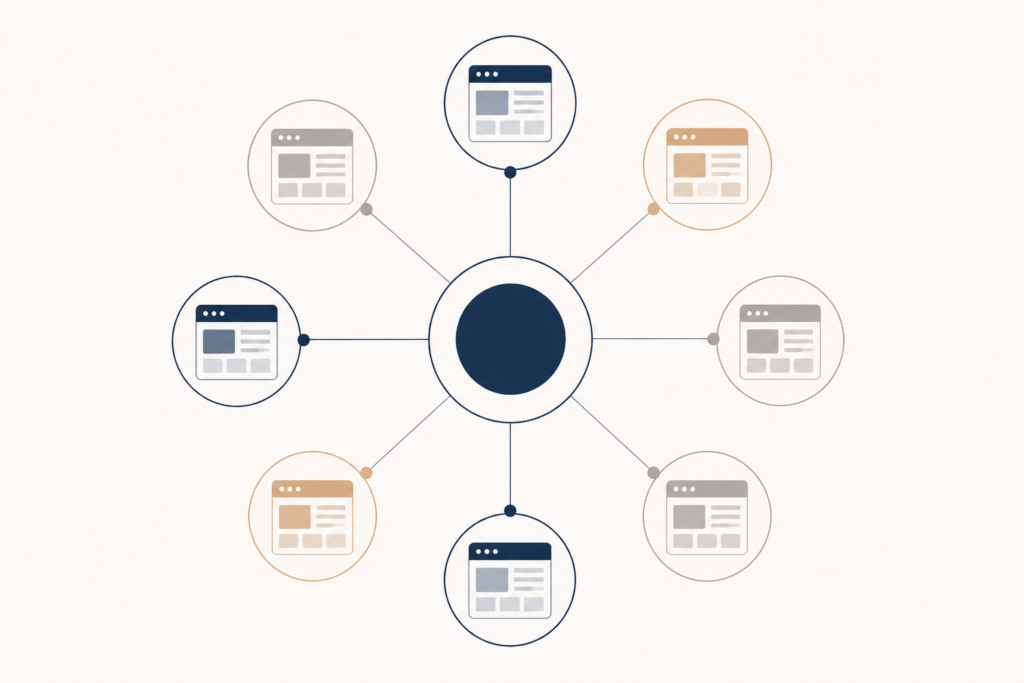
WordPress Multisite lets you run a network of sites from a single WordPress installation. One codebase, one set of core files, one login that can grant access across every site in the network. Instead of fifteen separate wp-admin logins, you have one dashboard with a network admin view sitting above all fifteen individual sites.
For an agency, the appeal is obvious on paper. Push a plugin update once and it’s available across the network. Manage user roles from one place. Spin up a new site for a new client in minutes instead of provisioning a fresh install. It sounds like exactly what an agency juggling a growing roster of client sites needs.
The catch is that multisite isn’t really “fifteen websites, but easier.” It’s one website with fifteen sections that all share the same underlying WordPress core and, depending on setup, the same plugins. That distinction matters more than it sounds like it should.
Where Multisite Genuinely Helps
Multisite tends to work well in a few specific situations. If an agency runs a network of its own properties, a handful of niche content sites it owns and operates itself, multisite makes sense because there’s no client boundary to worry about and full control lives in one place.
It also works well for agencies managing sites that are structurally similar. A franchise client with twenty near-identical location pages, or a university managing dozens of department sites that all share a base template, is a strong multisite use case because the sites genuinely benefit from shared plugins, shared updates, and centralized control.
Where it gets more complicated is the common agency scenario: fifteen completely unrelated client sites, different industries, different plugin needs, different levels of technical risk tolerance, all bundled onto one network because it seemed efficient at the time.
The Headaches Nobody Mentions Upfront
A few things tend to surface only after an agency has committed to a mixed-client multisite network.
One security issue can affect the whole network. If a vulnerable plugin gets exploited on one site, the risk isn’t contained to that site the way it would be with separate installations. Because the sites share a database and core files, a serious compromise on one subsite can expose the entire network. For an agency managing sites for different clients with different risk profiles, that’s a real liability, not a hypothetical one.
Plugin conflicts multiply. In a standard setup, each client site runs its own plugin combination, and a conflict on one site stays isolated to that site. On a network, certain plugins are network-activated and run across every subsite whether each individual site needs them or not. A plugin that works fine on twelve sites but breaks something subtle on the thirteenth can be hard to diagnose, because the plugin itself looks like it’s functioning everywhere else.
Performance issues on one site can bleed into others. A traffic spike, a poorly optimized query, or a runaway process on one subsite draws from shared server resources. Depending on hosting setup, a busy day for one client’s site can slow things down for every other site on the network, which is an awkward conversation to have with a client whose site had nothing to do with the problem.
Offboarding a client gets messier. Separate installs are simple to hand off. Export the site, move it to new hosting, done. Pulling a single site out of a multisite network cleanly, without leaving behind shared dependencies or breaking something for the sites staying behind, takes more care and more time than most agencies budget for when the moment actually arrives.
Backups and staging get more complicated. Restoring one subsite from a backup without affecting the rest of the network isn’t as simple as restoring a standalone install. Depending on the backup tooling in use, some solutions back up and restore the entire network as one unit, which isn’t much help if only one client’s site needs to be rolled back.
How to Use Multisite Without the Regret
If a network genuinely fits the situation, a few practices keep it manageable long term.
Keep the network reserved for sites that are actually similar in structure and risk profile, rather than treating it as a general-purpose way to manage every client an agency has. Mixing a high-traffic e-commerce client with a handful of small brochure sites on the same network concentrates risk in a way that’s hard to justify once you think it through.
Be deliberate about which plugins get network-activated versus site-activated. Just because a plugin can run network-wide doesn’t mean it should. Reserve network activation for genuinely shared tools, security and backup plugins, for instance, and let individual sites manage their own feature plugins independently where possible.
Set up a real staging environment for the network, not just for individual sites, so that a plugin update can be tested against the whole network’s behavior before it goes live everywhere at once. A change that looks safe on one subsite can behave differently once it’s active across a dozen others with different content and configurations.
Document the network structure somewhere outside of WordPress itself. Which sites are on the network, what plugins are network-activated, what each client’s specific requirements are. It sounds unnecessary until the person who set up the network moves on and someone else has to figure out the map from scratch.
And be honest early with clients, or with your own team, about which sites actually belong on a shared network and which ones need the isolation of a standalone install. Not every client is a good multisite candidate, and forcing a mismatched site onto an existing network to save a bit of setup time tends to cost more than it saves once something goes wrong.
When a Standalone Install Is Simply the Better Call
Sometimes the right answer isn’t a better multisite setup, it’s not using multisite at all for a particular client. Sites with unusual plugin requirements, higher security sensitivity, unpredictable traffic patterns, or clients who may eventually want full ownership and portability of their own hosting are generally better served by a standalone install, even if it means one more login to manage.
Multisite is a tool for a specific kind of problem: many similar sites that genuinely benefit from centralized control. It’s not a general solution for “too many client logins,” and agencies that treat it that way usually end up spending more time untangling the network than they ever saved by consolidating it in the first place.
Making the Right Call for Your Agency
The agencies that get the most out of multisite are the ones who scope it carefully from the start, decide which sites actually belong on a shared network, and keep the sites that don’t fit that pattern on their own dedicated installs. It’s less about whether multisite is a good idea in general and more about whether it fits the specific mix of client sites an agency is actually managing. Get that scoping right, and multisite genuinely saves time. Get it wrong, and it just moves the headache somewhere less visible until it isn’t anymore.