|
Summary:
|
Open any app on your phone right now.
Booking a cab, ordering food, checking your bank balance, it all happens in a few taps. Mobile isn’t just convenient anymore. It’s the default.
Now imagine trying to do the same things, but:
- The buttons are too small to tap
- The text doesn’t resize properly
- Your screen reader can’t tell what anything does
That’s the reality for many users.
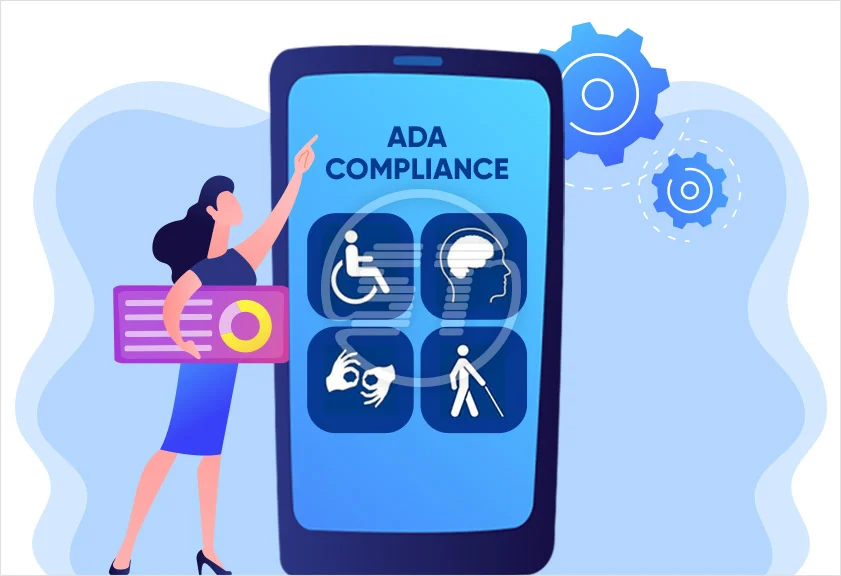
This is where conversations around ADA compliance mobile, and mobile accessibility solutions start to become real. Not theoretical. Not legal-heavy. Just practical.
Because if your app doesn’t work for people, it simply doesn’t work.
So, what does ADA compliance mean for mobile?
At a basic level, it means making sure your app or mobile website can be used by people with different abilities.
The ADA itself doesn’t spell out mobile apps in detail. But that gap doesn’t really matter anymore. Expectations have already shifted. If your product is digital, it needs to be accessible.
Most teams use WCAG guidelines as a working standard. Not because they have to check a box, but because those guidelines actually help fix real usability issues.
Why this matters more than teams expect
A lot of companies still treat accessibility like a side task. Something to “look into later.” That usually doesn’t end well.
Mobile is where everything happens
People don’t switch to a desktop anymore when something feels difficult. They just leave.
Accessibility issues are easy to miss internally
Teams build and test in controlled environments. Real users don’t.
The impact is immediate
If someone can’t navigate your app, they won’t complain. They’ll just stop using it.
It’s not just about disability
Ever tried using your phone in bright sunlight? Or with one hand? Accessibility improvements help in those moments too.
Where most apps quietly fail
You don’t need a detailed audit to spot common issues. They show up everywhere.
- Tap targets that require precision
- Low contrast between text and background
- Icons that look nice but don’t explain anything
- Navigation that changes from one screen to another
- Forms that are hard to complete
- Features that break when used with screen readers
Individually, these feel small. Together, they make the experience frustrating.
What better actually looks like
Good accessibility doesn’t feel like “accessibility.” It just feels easier to use.
You don’t have to struggle to read
Text is clear. Contrast is comfortable. Nothing feels cramped.
You don’t have to guess what to do
Buttons are obvious. Labels make sense. Actions are predictable.
You don’t need perfect control
You can tap things easily. You don’t need to zoom in or retry.
The app works with assistive tools
Screen readers, voice controls—everything just works without breaking the flow.
That’s it. No complexity. Just fewer barriers.
What actually helps (in real projects)
Most teams don’t fix accessibility because they don’t know where to start. The good news—it’s usually not complicated.
Start by seeing what’s broken
An accessibility audit gives clarity. Not theory—actual issues.
Use your app differently
Turn on a screen reader. Try navigating without looking. It changes your perspective fast.
Fix design decisions early
Color, spacing, layout—these are easier to fix in design than in code.
Make developers part of the process
Accessibility isn’t just visual. It depends heavily on how things are built.
Keep checking
Every update can introduce new issues. This isn’t a one-time fix.
Apps vs mobile websites (quick reality check)
Both need attention, but in different ways.
Mobile apps depend more on device behavior—gestures, OS-level features, native components. Testing here needs to be hands-on.
Mobile web is more flexible, but also easier to overlook. A responsive layout doesn’t guarantee accessibility.
In most cases, gaps exist in both.
The bigger mistake teams make
Accessibility is often pushed to the end.
Design is done. Development is done. Then someone asks, “Should we check accessibility?”
At that point, fixing things becomes expensive and slow.
A better approach is simple:
- think about it early
- design with it in mind
- build it properly
- test before release
It doesn’t add extra work. It avoids rework.
Why this is more than compliance
If you look at accessibility only from a legal angle, you’ll do the bare minimum.
But when it’s treated as part of product quality, things change.
You start noticing:
- fewer user drop-offs
- smoother interactions
- better feedback
- fewer usability complaints
Over time, it becomes a competitive advantage without trying too hard.
Where AccessifyLabs fits in
For many teams, the challenge isn’t willingness, it’s clarity and execution.
AccessifyLabs works with organizations to review mobile experiences, highlight what’s not working, and guide teams on fixing it in a practical way.
That includes:
- identifying real usability gaps
- helping teams understand what to fix first
- supporting implementation
- setting up processes so accessibility doesn’t get lost later
The idea isn’t to make things complex. It’s to make them workable.
FAQs
What does ADA compliance mobile mean in simple terms?
It means your mobile app or website should be usable for people with different abilities, without barriers.
Are mobile apps legally required to be accessible?
While not always explicitly defined, mobile apps are increasingly treated as part of digital accessibility requirements.
What are mobile accessibility solutions?
They are practical steps, like audits, design fixes, and development improvements, that make mobile experiences easier to use.
How do I know if my app has accessibility issues?
The quickest way is to test it differently, use a screen reader, check contrast, and review navigation. Formal audits help go deeper.
Is this something only large companies need to worry about?
No. Any product used by real people benefits from accessibility. The size of the company doesn’t change the user experience.